Arknights: Endfield on Steam: Specs, Account Linking and What's New
Arknights: Endfield is now on Steam. Learn how to carry over your progress, which PC specs you need, how the server regions work, and what to know before playing.

Arknights: Endfield, GRYPHLINE’s free-to-play 3D real-time strategy RPG, has just launched on Steam, which is why it is topping Steam’s new-release charts this week. If you already play on the standalone PC launcher, Epic, PS5 or mobile, you can link your existing GRYPHLINE account on Steam and keep your progress, as long as you pick the right server region.
This guide covers what the Steam release actually changes, how to link your account without “losing” your save, which PC hardware you need, and what kind of game you are getting into. Details are as of October 2026 and may change with future patches.
What happened: Endfield arrives on Steam
Endfield is not a brand-new game. It launched worldwide on January 22, 2026 on PS5, iOS, Android and PC, with PC players using either the official launcher or the Epic Games Store.
The Steam version arrives alongside Version 1.6, the core chapter update called Sanctuary of Ink. According to Uncrowned Gaming, the Steam release supports cross-platform progression and account syncing through linked GRYPHLINE accounts.
One small inconsistency: most announcements give the Steam launch as October 15, 2026, while the Steam store page lists October 14, 2026. That gap is most likely a time-zone difference, but either way, the game is live now.
Steam vs. the other PC versions
If you already play on PC, there’s no obligation to switch. Here’s how the options compare based on what has been announced.
| Version | How you get it | Progress |
|---|---|---|
| Steam | Free on the Steam store | Shared via linked GRYPHLINE account |
| Epic Games Store | Free on Epic | Shared via GRYPHLINE account |
| Official launcher | Download from the official Endfield site | Shared via GRYPHLINE account |
| PS5 / iOS / Android | Platform stores | Shared via GRYPHLINE account (same region) |
The main reasons to move to Steam are convenience: your library, friends list, overlay and Steam Input all in one place. The game itself and your account are the same.
How to link your existing account on Steam
The first time you open the Steam version, it asks you to connect your Steam account to a GRYPHLINE account. Getting this step right is what keeps your progress.
- Install Arknights: Endfield from its Steam store page and launch it.
- When the login screen appears, choose the option to log in and link an existing account. Do not choose “Register & Link” unless you are a brand-new player, because that creates a fresh account.
- Sign in with the email address tied to your GRYPHLINE account.
- Select the same server region your character already uses. Asia and Americas/Europe are separate, and progress does not carry across them.
- Confirm the link and load in. Your Operators, base and story progress should appear as they were.
If you originally signed in with Google, Apple, Facebook or PSN
Third-party logins need one extra check. GRYPHLINE’s help center explains that if the GRYPHLINE account you reach through a third-party login already has an email address attached, you should pick “Log In and Link an Existing Account” on Steam and sign in with that email.
If your account has no email linked yet, add one first through the official account settings on the platform you currently play on, then come back to Steam. Only use the official game client and GRYPHLINE’s own pages for this, and never share your login details with anyone offering to “transfer” an account for you.
My account looks empty, what now?
Don’t panic and don’t start playing on the empty account. In most reported cases, the player either picked the wrong server region or registered a new account by mistake. Log out, check the region and the login method, and try again. If it still doesn’t show, contact support through the official help center.
PC system requirements
GRYPHLINE published PC requirements during the beta. Reporting since then has stayed consistent on CPU and GPU, but sources disagree on recommended RAM and on storage. Treat these as a guide, and check the requirements section of the Steam page for the current official list.
| Component | Minimum | Recommended |
|---|---|---|
| OS | Windows 10/11 64-bit | Windows 10/11 64-bit |
| CPU | Intel Core i5-9400F or equivalent | Intel Core i7-10700K or equivalent |
| GPU | NVIDIA GTX 1060 (6 GB) or equivalent | NVIDIA RTX 2060 or equivalent |
| RAM | 16 GB | 16 GB or 32 GB (sources differ) |
| Storage | About 60 GB, SSD strongly recommended | About 60 GB SSD |
A few practical notes:
- Storage: GamerBraves reports that the game needs an extra 45 GB free while it unpacks, so leave plenty of headroom beyond the installed size.
- SSD vs. HDD: The developer strongly recommends an SSD. Expect noticeably slower loading on a hard drive.
- DirectX: Game8 lists DirectX 11 for the minimum spec.
What this means for your hardware
If you have a GTX 1060-class card, you’re at the floor, so plan on low settings. An RTX 2060 or anything newer in that class meets the recommended target. Since RAM guidance is inconsistent, 16 GB is the safe baseline and 32 GB gives you breathing room if you run other apps alongside the game.
The biggest upgrade most players will feel is storage: moving the game to an SSD with enough free space for the unpack step matters more than chasing extra frames.
Steam Deck
This is unclear right now. Some guides say the game will be playable on Steam Deck with the Steam launch, while others say there is no first-party Deck support and that it relies on Proton. As of mid-October 2026, check the Steam Deck compatibility badge on the store page before counting on handheld play.
What kind of game is Arknights: Endfield?
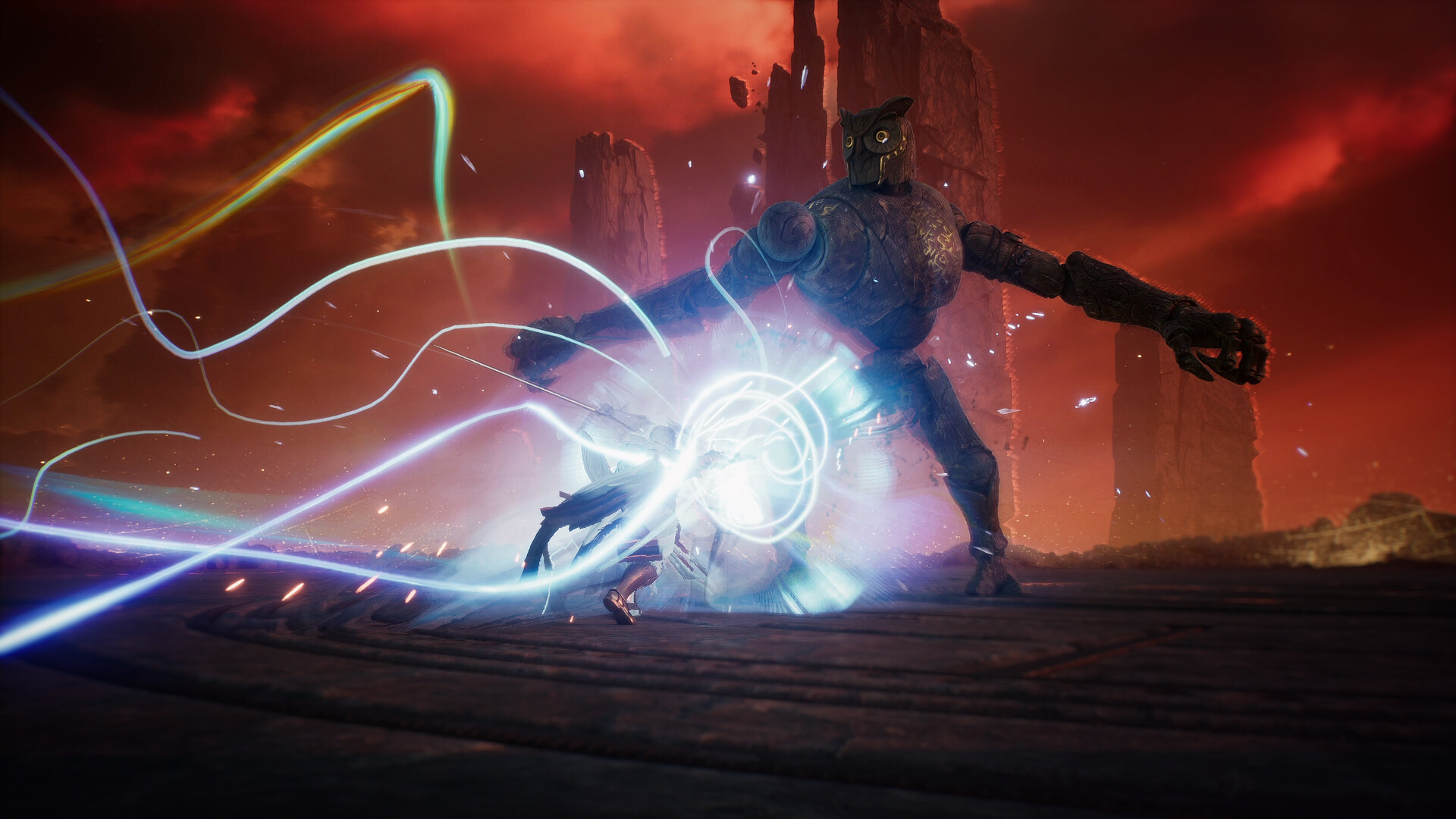
Endfield is set in the Arknights universe but plays very differently from the original tower-defense mobile game. It mixes real-time squad combat and exploration with a large automation layer.
The heart of the game is the AIC factory: you build production lines that gather resources and craft materials. Beebom’s review called building your AIC factory the main gameplay loop and warned that the system can feel overly complex at first, with a long learning curve.
Reception has been fairly positive with clear caveats. Beebom gave it 7/10, praising the world and how generous it is to free players, while criticizing combat that can slide into button mashing and gacha pity that doesn’t carry over between banners.
Is it worth trying now?
If you like automation games or the Arknights setting, the Steam launch is a good time to start: it’s free, it arrives with a fresh content update, and progress follows you if you later switch devices. If you mainly want fast action combat, read up on the factory side first, since you’ll spend a lot of your time there.
Quick checklist before you play
- Confirm your PC meets at least the minimum spec, and free up well over 60 GB on an SSD.
- If you’re a returning player, know your GRYPHLINE email and your server region.
- On first launch, choose “log in and link an existing account”, not register.
- Check the Steam Deck badge on the store page if you plan to play handheld.
Free apps worth trying
SponsoredSponsored links. Installing through them can earn us a commission, at no cost to you. Apps are free to download; some offer optional in-app purchases.
Frequently asked questions
Is Arknights: Endfield free on Steam? +
Yes. Arknights: Endfield is a free-to-play game with optional in-game purchases, and the Steam version follows the same model as the standalone launcher, Epic, PS5 and mobile versions.
Can I move my Epic Games Store or launcher progress to Steam? +
Yes, through your GRYPHLINE account. On first launch of the Steam version, choose the option to log in and link an existing account, then pick the same server region your character already plays on.
Why does my account look empty on Steam? +
The most common reason is picking the wrong server region, since Asia and Americas/Europe progress is not shared. Another is registering a new GRYPHLINE account instead of logging in with your existing one.
Does Arknights: Endfield run on Steam Deck? +
Sources disagree, and as of mid-October 2026 we could not confirm an official Steam Deck Verified rating. Check the compatibility badge on the Steam store page before you rely on it.
How much storage does Arknights: Endfield need on PC? +
Reported figures are around 60 GB, and GamerBraves notes an extra 45 GB of free space is needed while the game unpacks. An SSD is strongly recommended.
Sources
- Arknights: Endfield on Steam (store.steampowered.com)
- Arknights: Endfield 1.6 and Steam Release With Cross-Progression Set for Oct. 15 - Uncrowned Gaming (uncrownedgaming.com)
- Arknights: Endfield now available - Gematsu (gematsu.com)
- Endfield System Requirements and File Size - Game8 (game8.co)
- Arknights: Endfield System Requirements Revealed - GamerBraves (gamerbraves.com)
- PSN Account FAQs - Arknights: Endfield Help Center (gryphline.helpshift.com)
- Arknights: Endfield Review - Beebom (beebom.com)